Players across the gaming community have been reporting persistent issues with Marvel Rivals crashing during gameplay. Since its release, the superhero-themed team shooter has gained significant popularity, but technical problems continue to plague the experience for many users in 2025. These crashes occur at various points - during matches, at the login screen, or sometimes immediately after launch, leaving players frustrated and seeking solutions.

Common Marvel Rivals Crashing Scenarios
The Marvel Rivals crashing problems manifest in several ways. Many users report receiving the dreaded "EXCEPTION_ACCESS_VIOLATION" error, while others experience the game freezing at the login screen. Some players can't even get past the shader compilation stage. These issues affect both NVIDIA and AMD users across different system configurations.
One user detailed their experience: "I tried every fix I could find online for days, every dumb reddit thread with terrible advice. Was desperate, as I tend to obsess over these things until fixed. The game would crash with a GPU dump after less than 10 matches regardless of settings."
Proven Solutions That Actually Work
After analyzing numerous reports and successful fixes, here are the most effective solutions for Marvel Rivals crashing issues:
-
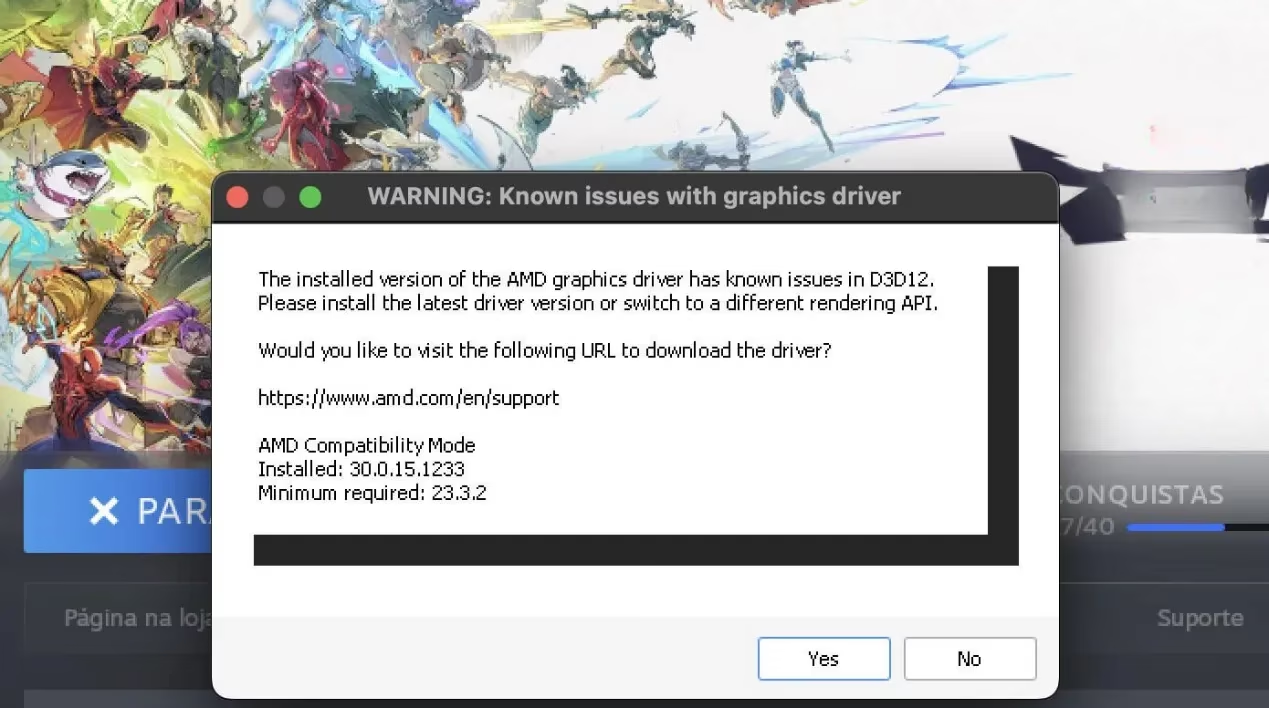
Driver Rollback - This appears to be the most consistent fix. For NVIDIA users, rolling back to driver version 561.09 has resolved crashing for many players. AMD users have reported similar success with older driver versions.
-
Installation Method - Some players found success by installing Marvel Rivals in its own dedicated environment rather than through Steam.
-
Launch Parameters - Adding specific launch commands like "SteamDeck=1 %command%" has helped some users get past particular crash points.
Technical Fixes Worth Trying
If you're experiencing Marvel Rivals crashing, try these additional technical solutions:
-
Validate game files through your game launcher
-
Update your BIOS to the latest version
-
Adjust memory settings using tools like ISLC to auto-clean RAM
-
Experiment with different graphics settings (particularly DLSS and Reflex options)
-
Try both normal and experimental launch modes offered in the game
One frustrated player shared: "I've tried validating game files, deleting my Steam bottle, reinstalling Steam, deleted the entire game itself and reinstalled - I cannot get beyond the login screen. It was running perfectly fine before recent updates."
Hardware Considerations
While some have dismissed Marvel Rivals crashing as "user error from not setting up or building the computer correctly," the widespread nature of these issues suggests deeper compatibility problems. The game appears particularly sensitive to certain hardware configurations and driver versions.
Developer Response
The development team has acknowledged these issues and suggested some CPU-related fixes, though many players report these official recommendations don't resolve their specific crashing problems. As of early 2025, ongoing patches aim to improve stability across various system configurations.
Community Workarounds
The Marvel Rivals community has been actively sharing workarounds. Beyond the driver rollback solution, some report success with:
-
Disabling background applications
-
Running the game as administrator
-
Adjusting Windows power settings to high performance
-
Temporarily disabling antivirus software
For those running on Mac systems through compatibility layers like CrossOver, additional complexity exists. Some users report needing 15-20 login attempts before successfully accessing the game.
Final Thoughts
While Marvel Rivals continues to attract players with its unique take on the hero shooter genre, these persistent crashing issues remain a significant barrier to enjoyment for many. The most reliable fix currently appears to be driver rollback, though this solution isn't ideal long-term as it prevents players from accessing newer driver features and optimizations for other games.
As the development team works on more permanent solutions, players should try the workarounds mentioned above and stay tuned for official patches addressing the Marvel Rivals crashing problems that have frustrated so many in the community.
Have you experienced Marvel Rivals crashing issues? Which solutions worked for you? The community continues to compile effective fixes while awaiting more comprehensive solutions from the development team.